


 Posts
Posts





Showing posts with label Cricut Expression. Show all posts
Showing posts with label Cricut Expression. Show all posts
Posted by
Bad Bug & Dee Bugged
In:
Cricut Expression
A day smack full of Cricut cutting....
 We spent the entire day Sunday in our pj's cutting away. Just love days like that don't you? We thought it would be good to take this kind of time experiencing the Cricut and all the wonderful things that it really can do. Below I will share all of the things we did. The first one is from Mickey and Friends and is suppose to be part of Goofy's character but I loved it for my dog pages, made 3 of them.
I decided to start with something small first with not to much detail so I picked Minnie and Mickey. Cut them at 3"  Onto something more difficult and a lot more detail! Minnie's house, JD cut while I assembled and glued... Cut at 6"
 Next we did Mickey's House. It does not show it with grass or Mickey's silhouette over the door but JD felt as though it need more character. Also cut at 6"
 JD wanted to work on something while I was gluing away so he cut this car from the Disney /Pixar Cars cartridge. Cut it at 4"
 More of JD experimenting...
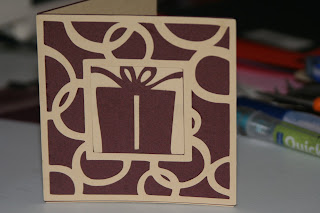
  Great job cutting his first card out huh?
 The man was in his glory now, has a fascination with flames so of course he had to cut these out as I was working my fingers to the bone...


Onto something more difficult and a lot more detail! Minnie's house, JD cut while I assembled and glued... Cut at 6"Next we did Mickey's House. It does not show it with grass or Mickey's silhouette over the door but JD felt as though it need more character. Also cut at 6" JD wanted to work on something while I was gluing away so he cut this car from the Disney /Pixar Cars cartridge. Cut it at 4" More of JD experimenting... Great job cutting his first card out huh? The man was in his glory now, has a fascination with flames so of course he had to cut these out as I was working my fingers to the bone...
DeeBugged
Posted by
Bad Bug & Dee Bugged
In:
Cricut Expression
Paper Piecing with your Cricut....
JD & I completed our first paper piecing project using our Cricut and the Disney Cars cartridge. We are in the process of putting classes together for the Cricut to teach at local crops and stores. Stay tuned for that information to be announced soon...

Not bad for our first one, but thank god that I have the patience of a saint because this is NOT an easy technique to learn by any means!! Provo craft has definitely dropped the ball when it comes to instructions and customer support. This machine could be so much easier to use had they put more thought into the software side of things.

Posted by
Bad Bug & Dee Bugged
In:
Cricut Expression
Cricut Expression
 We just set up our Cricut Expression and it wasn't exactly problem free. We wanted to link it to our computer and setup Sure Cuts A Lot software. As it turns out even though our Expression is fresh out of the box it would not work with SCAL software right out of the box. It was necessary to update the firmware to the latest version in the Cricut Expression. OK, no big deal right? Wrong! As it turns out there are no real directions in the manual to do this update. Only after a helpful group message board did we find out the only way you can update firmware is to download the trial version of Cricut's Design Studio software and the update utility is built in their software. The directions are loosely written and hard to find and leave lots to be desired. So after many cross words, a few F**K this Bull S**t and plug this, and do that,we managed to get it setup and working. The learning curve seems to be a tall task, but we will make the best of it. We do see the light at the end of the tunnel.

Subscribe to:
Posts (Atom)


